HOW TO PLAY NEONWING
NEONWING is a free air-combat game that runs in your web browser. You fly a glowing light jet over a huge neon grid city at night, fighting waves of enemy craft and giant motherships. There's nothing to download or install. It works on Windows PCs, Macs, Chromebooks, Android phones, iPhones and tablets.
PLAY NOW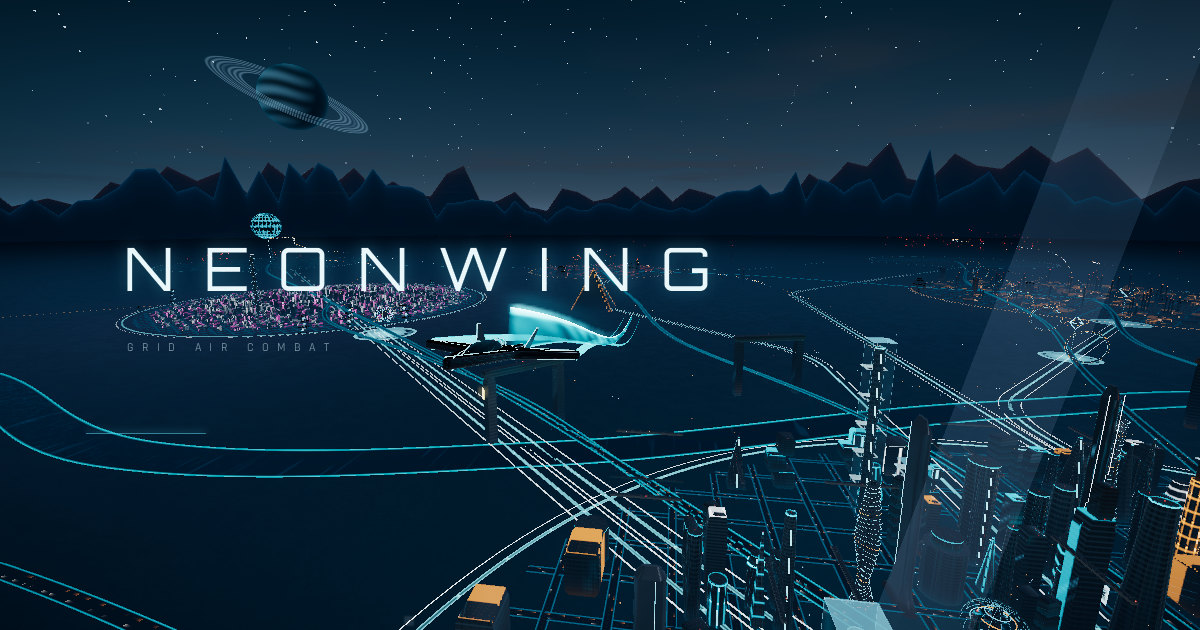
Game modes
- Sandbox · Waves: endless survival. Each wave sends more enemies, and new enemy types appear as you go: laser lancets, tesla arc craft, railgun snipers, gunships and aces. Every third wave a boss mothership arrives and launches fighters until you bring it down. Your best wave, kills and score go on the global leaderboard.
- Missions: 13 hand-built missions: convoy raids, defending a spire, dogfight derbies, and battles against capital ships like Leviathan, Colossus and the Swarm Mother. Each is graded when you finish.
- Free Flight: explore the city, race through the towers and practise against drones with no pressure.
- Hangar: pick your light jet, change its colours, light patterns and materials, and choose your weapons.
- Codex: a catalogue of every craft and enemy in the game.
Keyboard and mouse controls
You can change every key in Controls on the main menu. These are the defaults:
| W / S | Full power / slow down |
| A / D | Steer and roll left / right |
| Mouse | Aim and steer (or arrow keys for pitch) |
| Shift | Afterburner boost |
| Space | Fire |
| F | Missile (missiles slowly recharge) |
| X | Flares, which decoy incoming missiles |
| G | Special ability |
| Q / E | Air brake / barrel roll |
| O / P | Throttle gear down / up |
| L | Switch weapon |
| Tab | Next target |
| V | Change camera |
| T | Light trail mode |
| Y | Order wingmen to attack or cover you |
| Esc | Pause |
Phone and tablet controls
Hold the device sideways (landscape). Put your left thumb anywhere on the left half of the screen to get a floating stick for steering, climbing and diving. On the right are buttons for fire, boost, brake, missiles, flares, special ability, roll and camera. The game can go fullscreen automatically. On iPhone, open the site in Safari and use Share → Add to Home Screen to play fullscreen like an app.
Difficulty
Easy enemies aim poorly, deal half damage and fire no missiles. Normal is the standard game. Hard and Insane enemies are more accurate, tougher, faster and fire more missiles, and more of them attack at once. Aim assist is only available on Easy and Normal. Each difficulty has its own global leaderboard.
Tips
- Use the afterburner to escape, and the air brake to make enemies overshoot you.
- Drop flares as soon as the missile warning sounds.
- Railer craft flash before they fire, so turn away when you see the charge.
- Your hull repairs after a few seconds without being hit, and it refills between waves.
- If the frame rate drops, lower Quality in Settings. The game also adjusts itself automatically.
Community
Join the NEONWING Discord for updates, feedback and leaderboard talk. If you enjoy the game, you can buy the developer a coffee.